
Solutions · Tools
Tools to design and run your network
From RF design to day-to-day operation: we plan indoor small-cell coverage before anything is installed, then supervise every cell once the network is live.
← All solutionsWhy it matters
- 01
Fewer surprises on site
Coverage is predicted on the real floor plan before deployment, so the number and position of small cells are decided upfront.
- 02
One view of the whole fleet
Every site and every cell is visible in one place, with its status and alarms.
- 03
Faster decisions
Clear KPIs and filters help our team spot and act on issues quickly.
RF design
Indoor Design Suite
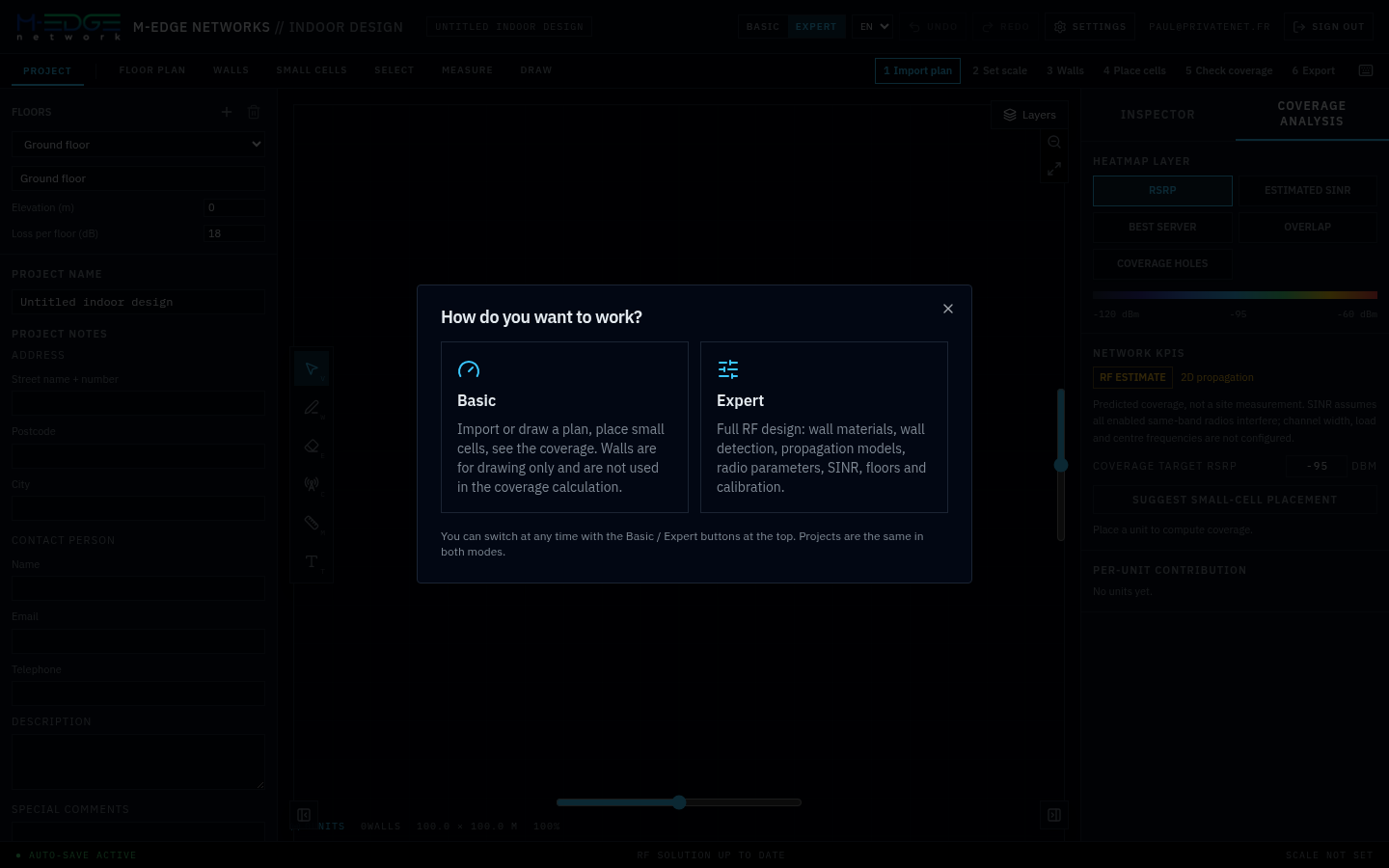
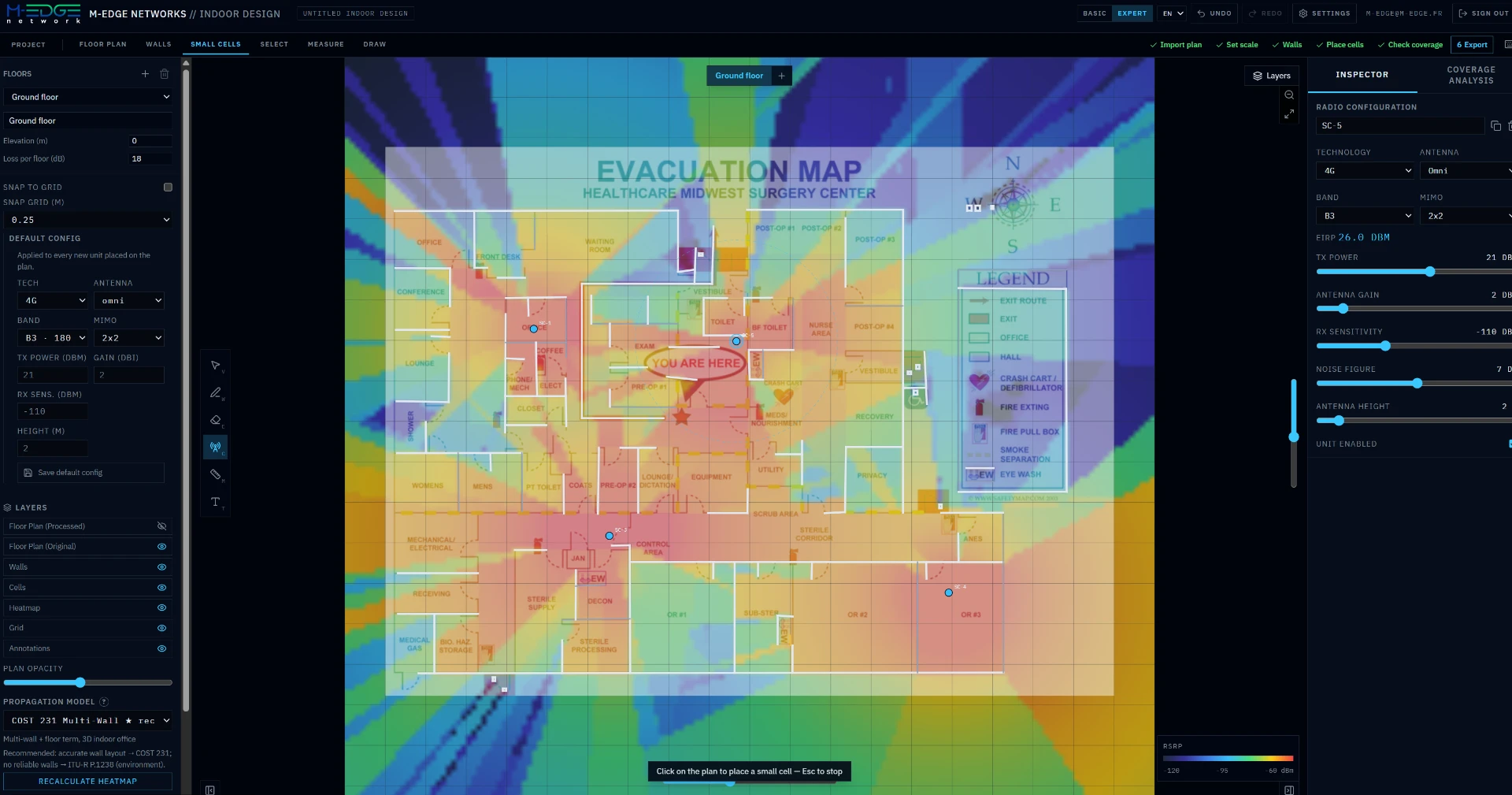
Our RF design tool for indoor small cells: import a floor plan, place the cells and check the predicted coverage before deployment.
- Guided workflow: import plan, set scale, walls, place cells, check coverage, export
- Basic mode for quick studies, Expert mode for full RF design
- Propagation models: COST 231 Multi-Wall, ITU-R P.1238, 3GPP 38.901 InH / InF
- Coverage analysis: RSRP, estimated SINR, best server, overlap and coverage holes
- Suggested small-cell placement, multi-floor buildings and PDF export
Screenshots
Network management
Command Center
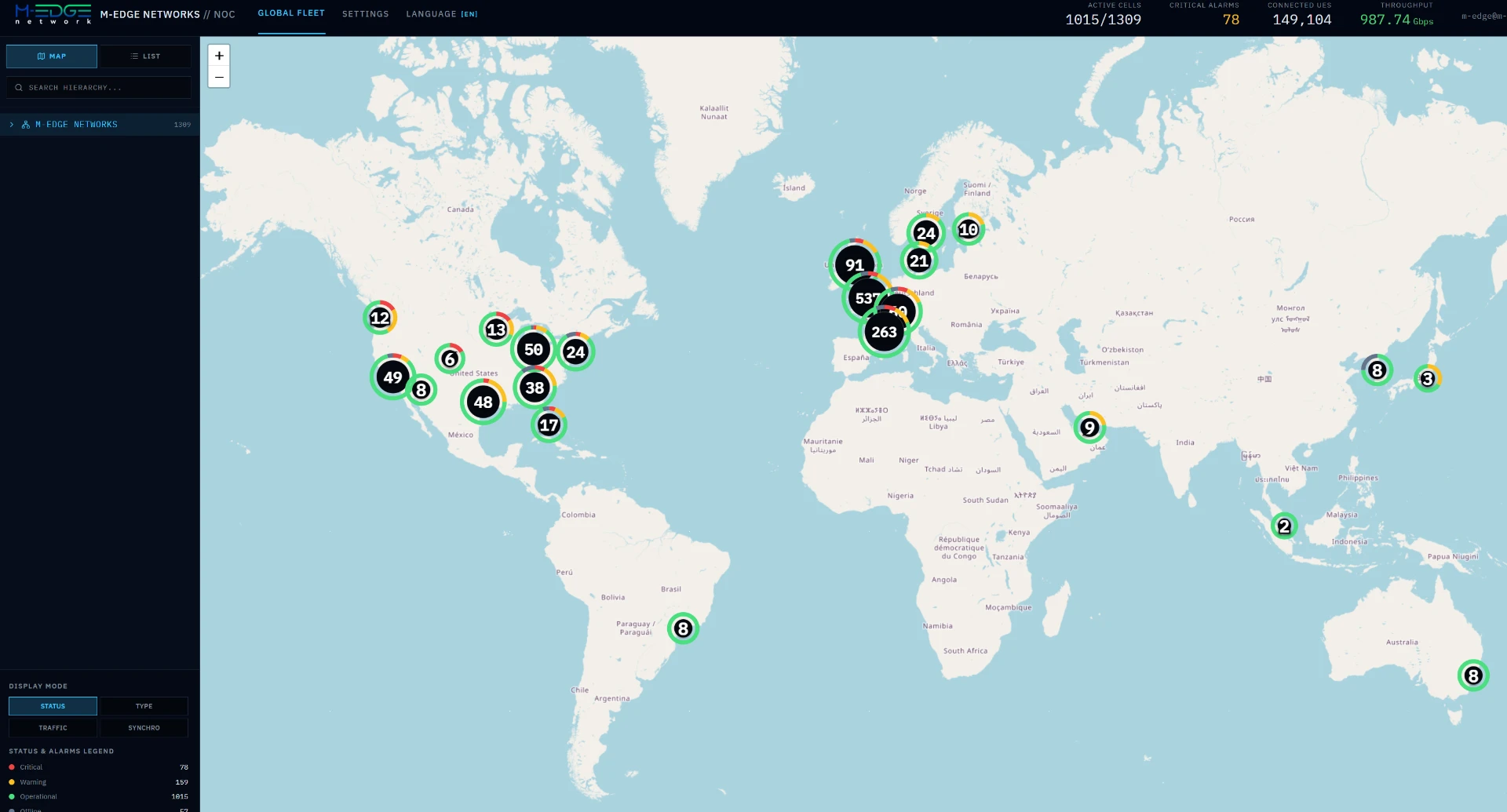
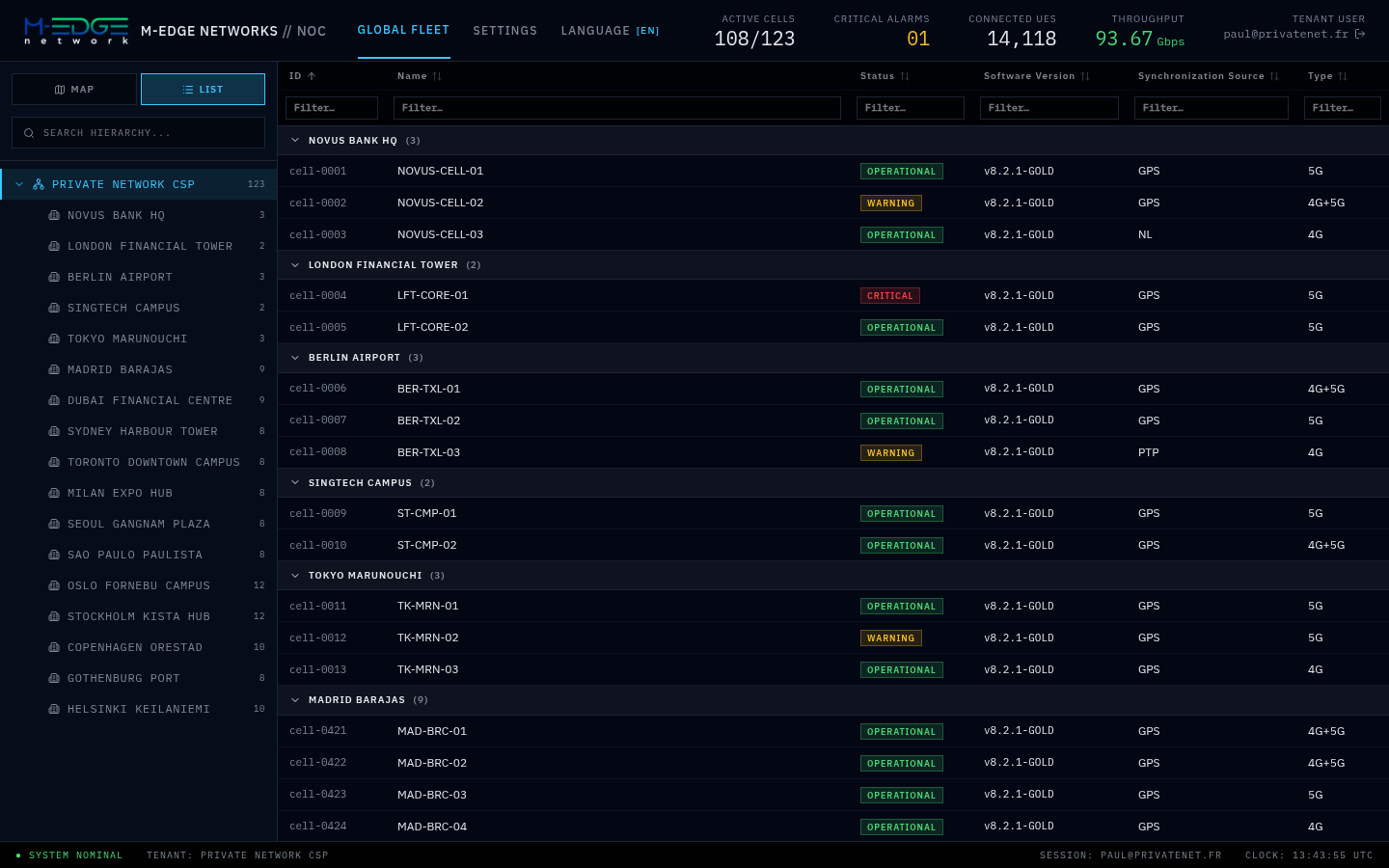
Our network operations tool: supervise every site and every small cell from a single screen.
- Live KPIs: active cells, critical alarms, connected UEs and throughput
- World map of all sites, coloured by status, type, traffic or synchronisation
- Cell list by site with status, software version, sync source and 4G / 5G type
- Customer and site hierarchy, with separate access for each customer
- Available in English and French
Screenshots
Core network management
Core Portal
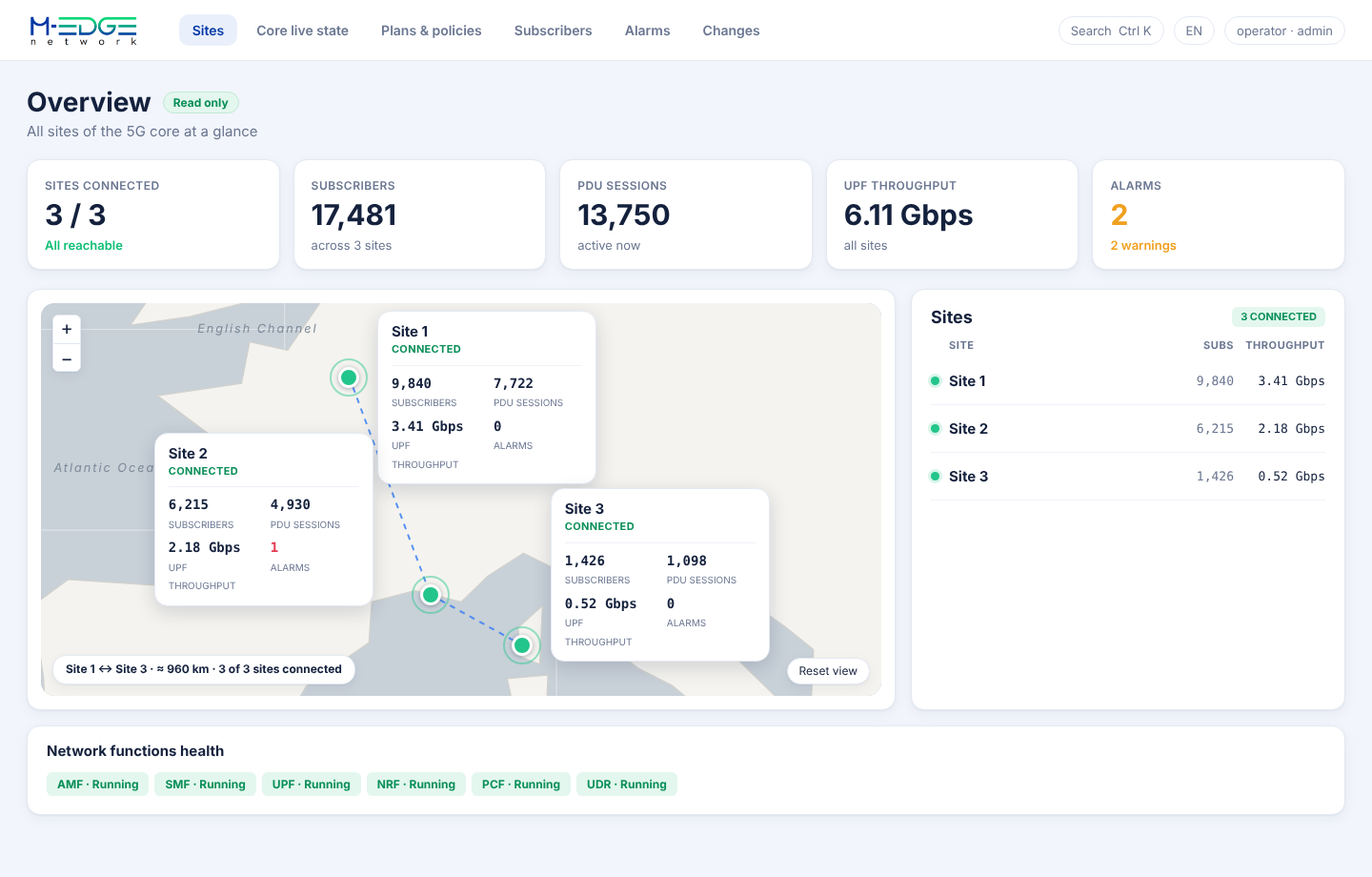
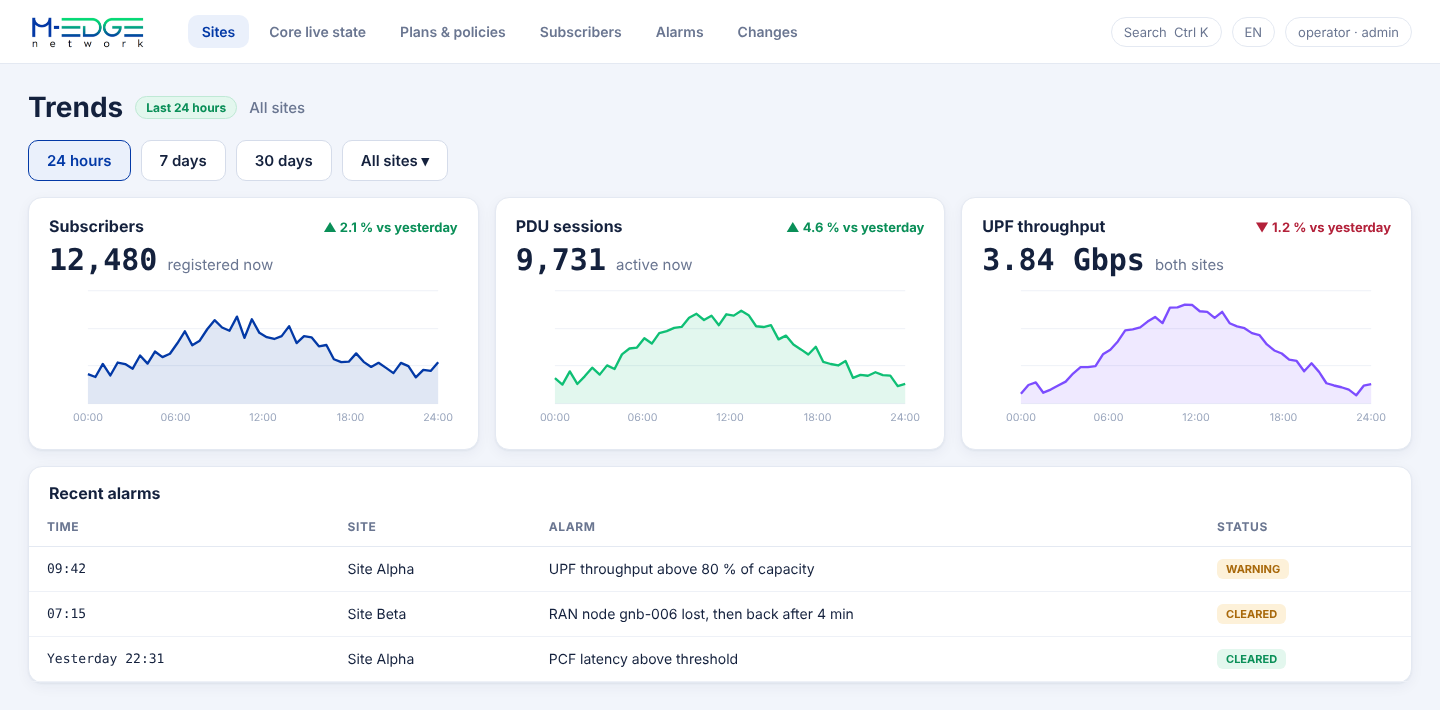
Supervise and manage every site of your core network from a single screen.
- Live view of sites, subscribers, PDU sessions and UPF throughput
- Status of each network function (AMF, SMF, UPF, NRF, PCF, UDR)
- Alarms, metrics and Grafana dashboards in one place, with e-mail alerts
- Plans, policies and subscribers, with validation for every change
- Separate user roles, with a full audit log of every action
Screenshots
Interested in these tools? Speak with us.
Ready to build your next network?
Tell us about your project and we will get back to you with a tailored proposal.